API Integration Services for Connected Websites
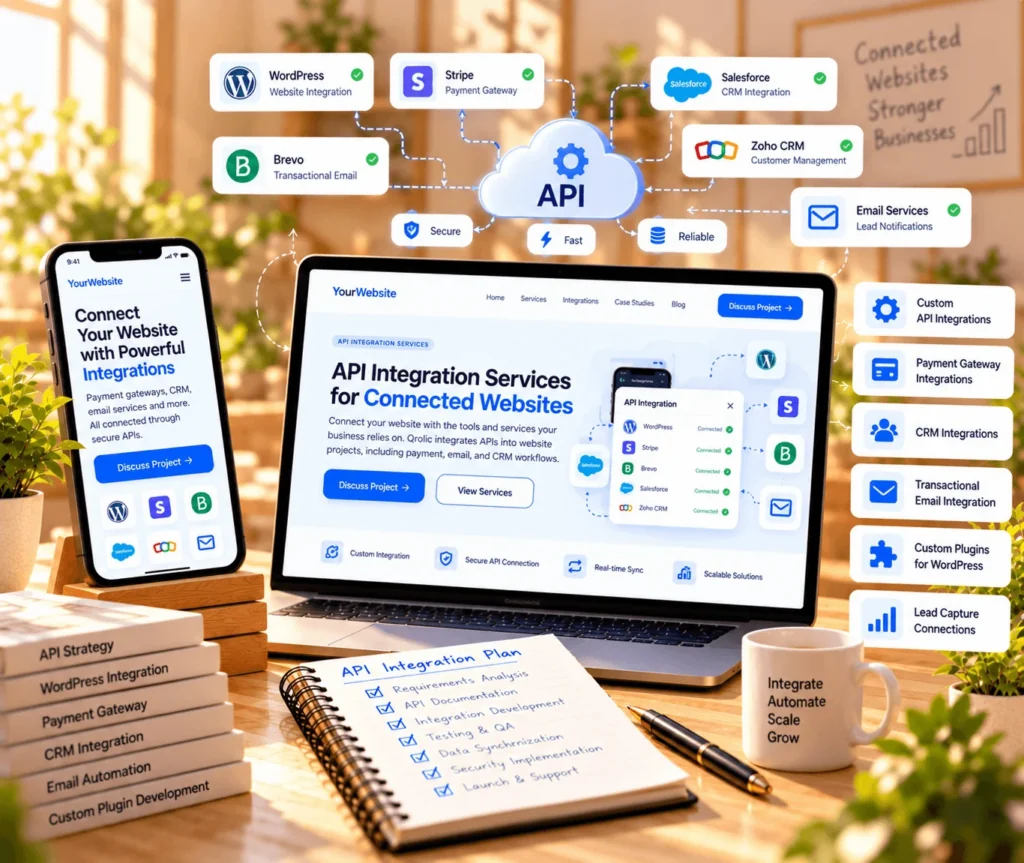
Connect your website with the tools and services your business relies on. Qrolic integrates APIs into website projects, including email, payment, and CRM workflows.
Trusted by large companies worldwide
















Introduction
Connect Your Website to Essential Services
When business tools operate separately, information can become harder to manage. Qrolic integrates APIs into website projects to connect services and support your existing workflows.
Connectivity
Efficiency
Control
Our Capabilities
- WordPress API Integrations
- Payment Gateway Integrations
- CRM System Integrations
- Transactional Email Integration
- Custom Integration Plugins
- Website Lead Capture Connections

API Integration Services
Connect Business Tools Through APIs
Qrolic integrates APIs within website projects to connect websites with external services. This is website integration work, not standalone mobile backend engineering.
01
What Do API Integration Services Include?
Qrolic’s API-related work includes Brevo transactional email integration, payment gateway connections, CRM integrations, and custom WordPress API plugins. The exact scope depends on the website project, external service, and requirements.
02
Why Do Website API Integrations Matter?
Websites often need to exchange information with other business tools. When systems are disconnected, teams handle tasks separately. API integration can connect supported tools so information moves between website functions and external services.
03
How Can Integrations Support Your Website?
An integration connects a website with an existing service through its API, such as a payment gateway or email platform. It supports a defined workflow without making visitors or staff switch between disconnected processes for every task.
04
Who Can Benefit From These Services?
Businesses developing or improving WordPress websites may need payment, email, CRM, or other supported API connections. The work suits projects with clear integration requirements. Custom mobile app backend development is not part of this service.
Our Approach
Qrolic’s API work focuses on integrations within website projects. The scope should reflect the external service, website requirements, and intended workflow. Technical details, deliverables, and stages are agreed before work begins.
Benefits
Make Your Website Work With Existing Tools
Well-planned integrations can reduce disconnected website workflows. The value depends on the services involved and how your business needs them to work together.

Connect Key Services
Link your website with supported external platforms. This can help keep related business workflows connected.

Support Online Payments
Integrate supported payment gateways into website projects. This allows the website to work with the selected payment service.

Connect Email Workflows
Integrate transactional email services such as Brevo where appropriate. This supports email functionality connected to website activity.

Link CRM Systems
Connect website lead capture with supported CRM tools. This can help transfer enquiry information into your existing workflow.

Extend WordPress Functionality
Custom API integration plugins can support specific website integration needs. Their scope depends on the requirements and the external service.

Fit Your Project Requirements
Define integration work around the website and services involved. This helps keep the scope relevant to the actual business need.
Connect Your Website With Essential Business Tools
Free UX Audit
Explain which services your website needs to connect. Qrolic can discuss the requirements for your integration project.

Project Planning
Define Your Website Integration Scope
Every integration depends on the website, external service, and intended outcome. Establishing these details helps clarify what the project needs.
01
Identify the Need
02
Review the Integration
03
Define the Project Scope
Step 01
Identify the Need
Describe the website workflow you want to connect. Identify the external service and the information that needs to move between systems.
Step 02
Review the Integration
Determine which service or API is involved and what the website needs from it. API integration design starts here and helps establish the technical requirements.
Step 03
Define the Project Scope
Clarify the integration requirements before work begins. The agreed scope should reflect the website, selected service, and required functionality.
Comparison
Choose API Integration Services That Fit Your Website
A generic integration approach may overlook your website and business tools. A focused scope connects the relevant services without implying that every API or mobile backend requirement is included.
Without Qrolic:
Without Qrolic :
- Unclear connection requirements
- Services chosen without context
- Disconnected website workflows
- Undefined payment requirements
- Unclear email integration needs
- Lead capture links unassessed
- Unspecified custom plugin needs
With Qrolic:
With Qrolic :
- Integration goals identified
- Services assessed per project
- Website workflow considered
- Payment gateway needs identified
- Transactional email considered
- CRM connection needs identified
- Custom plugin needs evaluated
Case Studies
Explore Website API Integration Work
Qrolic’s work includes API integration for WordPress and payment gateway connections, as well as Brevo transactional email integration for WordPress projects.
Building the First TailoredPay Payment Gateway Plugin for WordPress & Gravity Forms
Overview TailoredPay had no existing WordPress integration available — not…

Uketa Support – Multi-Language Immigration Platform with Secure Cross-Site Payments
Overview Uketa Support is a multi-language immigration assistance platform built…

My Passport Center – Immigration Platform with Secure Payment Infrastructure
Overview My Passport Center is a high-volume immigration services platform…

Martens – Employment Hero API Integration for WordPress
Overview Martens required a custom careers platform capable of pulling…

First Pass Airport Services – Google Maps Distance Pricing Integration
Overview First Pass Airport Services operates a luxury chauffeur service…

Drip Hydration UK Case Study – HIPAA-Aligned LatePoint Data Encryption
Overview Drip Hydration UK operates a healthcare-focused appointment booking platform…

Custom Brevo API Integration for WordPress — Transactional Emails & Workflow Automation
Overview The client’s immigration platforms relied on WordPress wp_mail for…

Automated WordPress File Migration to S3-Compatible Cloud Storage
Overview The client’s immigration platform was generating hundreds of PDFs…

Azure OCR Integration for WordPress – Custom Document Scanning & Auto-Fill Plugin
Overview The client’s immigration platforms required users to manually enter…

Building a Frontend Application Management Dashboard for WordPress
Overview Managing hundreds of applications directly from the WordPress admin…
Why Choose Qrolic
Website Integrations Grounded in Real Requirements
Qrolic’s API-related work focuses on website integrations, including email, payments, CRM, and custom WordPress plugins. It is relevant when a project needs external services connected to a website.
0+
Years of WordPress
Delivering top-tier digital services across design, development, and performance.
0+
Happy Clients
Serving global brands with a 95%+ satisfaction rate across industries.

0%
Client satisfaction
We’re committed to delivering solutions that truly make an impact.
0+
Team members
A strong team of experts in WordPress, web technologies, and UI/UX.
Start a Conversation
Discuss Your Website Integration Requirements
Tell us which website services you need to connect and what the integration should support. This helps establish the scope of your project discussion.
Curious About the Cost? Free
Our website cost calculator is built using real
project data – no guesswork, just honest pricing.


Curious About the Cost? Free
Just drop your requirements on WhatsApp, and we’ll send you an instant estimate—no forms, no waiting.
Frequently Asked Questions
Common Questions About API Integration Services
Choosing an integration approach starts with understanding the systems involved and the outcome you need. These answers explain Qrolic’s website integration scope.
What Are API Development Services for Websites?
API development services can mean creating APIs or connecting websites with existing APIs. Qrolic’s experience focuses on website integrations, including payment gateways, CRM tools, transactional email, and WordPress integration plugins.
Does Qrolic Provide Custom API Development?
Qrolic has experience building custom API integration plugins for WordPress. Standalone API engineering is not part of this service, so project discussions should distinguish between integrating an existing API and building a new backend API.
What Do API Integration Services Connect?
API integration services connect a website with an external platform or service. Examples include Brevo transactional email, payment gateway integrations, CRM connections, and custom WordPress integration plugins. Availability depends on the project’s requirements.
Does Qrolic Offer RESTful API Development?
This service focuses on website API integrations rather than building new RESTful or GraphQL APIs for mobile applications. If you need a new API built from scratch, confirm that requirement before starting a project.
Can Qrolic Handle Mobile App Backend Development?
Standalone mobile app backend development is not part of this service. Qrolic’s work covers API integration within website projects, so businesses needing a new mobile backend should confirm that the required service is available before proceeding.
What Is Needed to Plan an API Integration?
Start with the website, the external service, and the workflow you want to support. API integration design depends on details about the service’s API and the required website functionality, and specific requirements vary with the systems involved.