Publishing CMS Development for Editorial Teams
Manage books, authors, articles, and publishing content without constant developer involvement. Qrolic builds custom WordPress CMS solutions around your editorial operations.
Trusted by large companies worldwide.














Introduction
A Better CMS for Publishing Operations
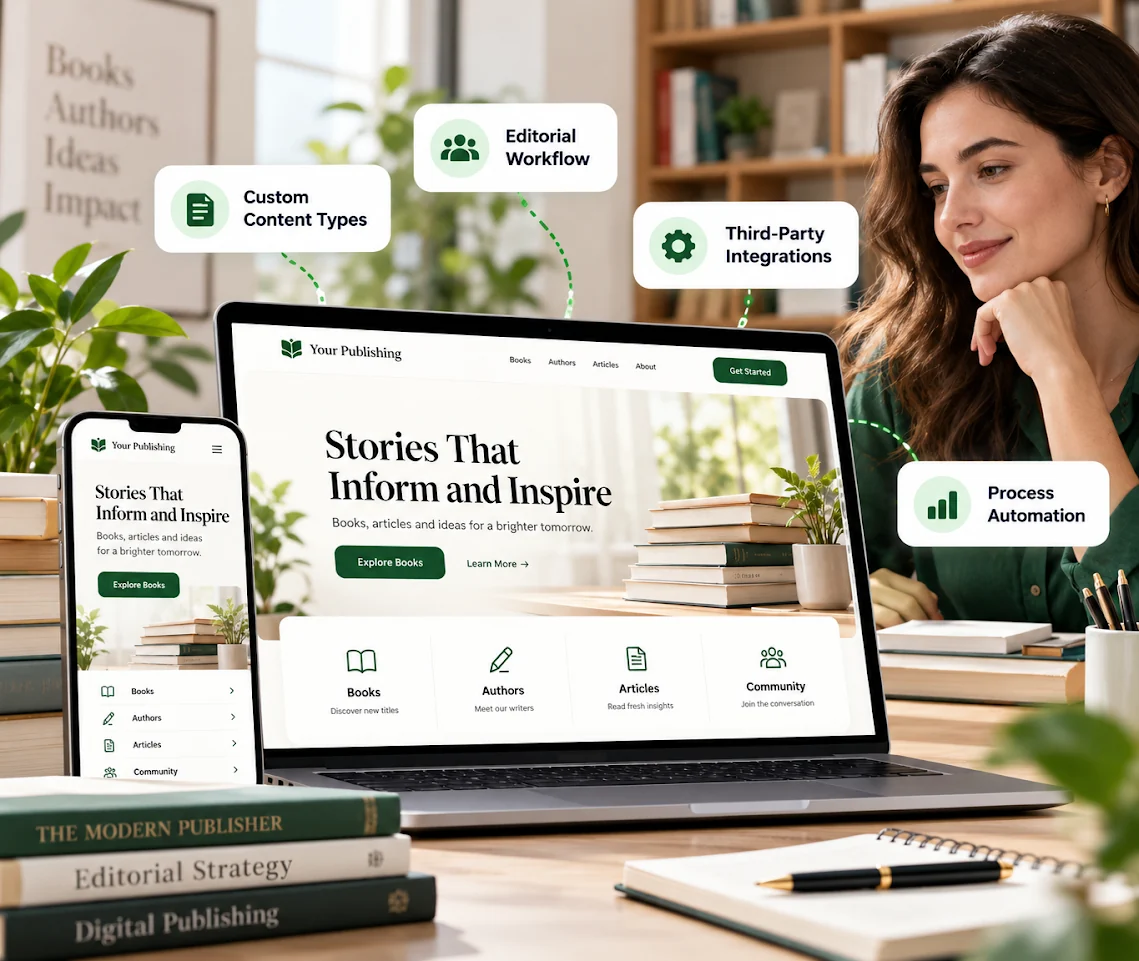
Publishing teams need more than a standard content editor. They need a publishing content management system that supports their content structure, editorial needs, and daily operations.
Control
Efficiency
Ownership
Our Capabilities
- Publishing Workflow Discovery
- Editorial Experience Planning
- Custom UI/UX Design
- WordPress Block Theme Development
- Dynamic Content Management
- Third-Party Integrations
- Publishing Process Automation

Our Services
Custom CMS Solutions for Publishing Businesses
A publishing CMS gives editorial teams control over content creation and management. Qrolic develops custom WordPress solutions around publishing operations, business requirements, and team needs.
01
What Does Publishing CMS Development Include?
Publishing CMS development includes discovery, UX planning, custom UI/UX design, and WordPress block theme development. It also covers dynamic content, integrations, custom functionality, automation, staging, training, and ownership.
02
Why Does Your Publishing Business Need It?
Generic CMS solutions may not reflect how publishers organize content. When editors depend on developers for routine updates, publishing can become slower and harder to manage as content requirements grow.
03
How Does a Custom CMS Solve These Problems?
A custom publishing CMS is planned around your actual requirements. Qrolic configures dynamic content management, builds custom functionality where needed, and connects relevant business tools to support publishing operations.
04
Who Needs a Publishing CMS?
Book publishers, academic presses, magazine publishers, hybrid publishers, and digital content businesses can benefit from a custom CMS for publishers, especially when current tools restrict editorial control or create developer dependency.
Our Approach
Qrolic begins with your business, audience, and publishing requirements, then moves through experience planning, design, development, CMS configuration, integrations, and testing. You receive training, documentation, and full CMS ownership.
Benefits
Benefits of a Custom Publishing CMS
A publishing CMS built around your operations can make content management easier. It helps your editorial team work with greater control and fewer technical dependencies.

Editorial Independence
Manage configured content without depending on developers for every routine update. Your team gains greater control over daily publishing operations.

Workflow Alignment
Build around your actual business requirements. Custom planning helps avoid forcing editorial teams into unsuitable generic workflows.

Flexible Content Management
Configure dynamic content types and fields around your requirements. Your CMS can accommodate changing content management needs.

Connected Business Tools
Connect relevant CRM, newsletter, and analytics tools. This helps bring important business operations into a more connected environment.

Easier Team Adoption
Receive CMS training and a management guide before launch. Your editorial team can understand how to manage the new system.

Complete CMS Ownership
Own your CMS, content, and accounts. You retain control of your publishing infrastructure.
Ready to Improve Your Publishing Operations?
Free UX Audit
Build a CMS around your editorial requirements. Give your team greater control over everyday content management.

Our Workflow
Our Publishing CMS Development Process
Every publishing CMS project follows a structured workflow. We move from business discovery to training, ownership, and transparent pricing.
01
Business Discovery
02
UX Planning
03
Custom UI/UX Design
04
WordPress Foundation
05
Dynamic Content Setup
06
CMS Control and Plugins
07
Integrations and Custom Features
08
Automation and Staging
09
Communication, Training and Ownership
Step 01
Business Discovery
We understand your business, audience, content types, and team structure. This establishes the requirements for your publishing CMS.
Step 02
UX Planning
We plan editorial journeys and content creation flows. This helps shape a CMS experience around how your team works.
Step 03
Custom UI/UX Design
We design editorial interfaces, dashboards, and content editing experiences. Your team can review the proposed experience before development.
Step 04
WordPress Foundation
We develop a lightweight custom WordPress block theme. This establishes the technical foundation for your CMS.
Step 05
Dynamic Content Setup
We configure dynamic content types and fields. Your editorial team gains control over the content structure.
Step 06
CMS Control and Plugins
We enable content type creation and page management while selecting focused plugins. This keeps CMS functionality aligned with project requirements.
Step 07
Integrations and Custom Features
We connect relevant CRM, newsletter, and analytics tools. Custom functionality addresses requirements that standard WordPress features cannot meet.
Step 08
Automation and Staging
We identify repetitive tasks for automation and provide a staging CMS. Your team can test editorial workflows before launch.
Step 09
Communication, Training and Ownership
We provide regular progress updates, training, and management documentation. You receive full CMS ownership and transparent pricing without hidden fees.
Comparison
Custom Publishing CMS Development vs Generic Solutions
Generic CMS implementations may overlook publishing-specific requirements. A focused approach considers your editorial operations, content management needs, and long-term ownership.
Without Qrolic:
Without Qrolic :
- Generic content structure
- Limited workflow customization
- Standard interface experience
- Unfocused plugin dependencies
- Disconnected business tools
- Limited project visibility
- Unclear ownership arrangements
With Qrolic:
With Qrolic :
- Business-focused CMS discovery
- Custom functionality development
- Tailored editorial interface design
- Focused plugin architecture
- Relevant third-party integrations
- Staging and regular updates
- Full client ownership
Case Studies
Discuss Relevant Publishing CMS Experience
Every publishing operation has different content management needs. Contact Qrolic to discuss relevant project experience and your publishing CMS requirements.
Building the First TailoredPay Payment Gateway Plugin for WordPress & Gravity Forms
Overview TailoredPay had no existing WordPress integration available — not…

Uketa Support – Multi-Language Immigration Platform with Secure Cross-Site Payments
Overview Uketa Support is a multi-language immigration assistance platform built…

My Passport Center – Immigration Platform with Secure Payment Infrastructure
Overview My Passport Center is a high-volume immigration services platform…

Martens – Employment Hero API Integration for WordPress
Overview Martens required a custom careers platform capable of pulling…

First Pass Airport Services – Google Maps Distance Pricing Integration
Overview First Pass Airport Services operates a luxury chauffeur service…

Drip Hydration UK Case Study – HIPAA-Aligned LatePoint Data Encryption
Overview Drip Hydration UK operates a healthcare-focused appointment booking platform…

Custom Brevo API Integration for WordPress — Transactional Emails & Workflow Automation
Overview The client’s immigration platforms relied on WordPress wp_mail for…

Automated WordPress File Migration to S3-Compatible Cloud Storage
Overview The client’s immigration platform was generating hundreds of PDFs…

Azure OCR Integration for WordPress – Custom Document Scanning & Auto-Fill Plugin
Overview The client’s immigration platforms required users to manually enter…

Building a Frontend Application Management Dashboard for WordPress
Overview Managing hundreds of applications directly from the WordPress admin…
Why Choose Qrolic
Built Around Your Publishing Business Needs
Your publishing CMS should reflect how your business manages content. Qrolic combines custom WordPress development, editorial experience planning, and a transparent delivery process.
0+
Years of WordPress
Delivering top-tier digital services across design, development, and performance.
0+
Happy Clients
Serving global brands with a 95%+ satisfaction rate across industries.

0%
Client satisfaction
We’re committed to delivering solutions that truly make an impact.
0+
Team members
A strong team of experts in WordPress, web technologies, and UI/UX.
Start Your Project
Let’s Build Your Publishing CMS
Tell us about your publishing business and current content management challenges. Let’s discuss a custom CMS that supports your editorial operations.
Curious About the Cost? Free
Our website cost calculator is built using real
project data – no guesswork, just honest pricing.
 Message on WhatsApp

Curious About the Cost? Free
Just drop your requirements on WhatsApp, and we’ll send you an instant estimate—no forms, no waiting.
Frequently Asked Questions
Publishing CMS Development FAQs
Choosing a CMS requires understanding its functionality, flexibility, and ownership. Here are answers to common questions about custom publishing CMS development.
What Is Publishing CMS Development?
Publishing CMS development involves building a content management system around a publishing business’s requirements. It helps editorial teams manage their content and publishing operations through a centralized system. Qrolic provides custom WordPress CMS development for publishing businesses.
How Is a Publishing CMS Different From a Website?
A publishing CMS is the backend system used to create, organize, and manage content. A publishing website is the public-facing platform where readers access book listings, author profiles, catalogs, and articles. Both serve different purposes.
Can WordPress Support a Custom Publishing CMS?
Yes. WordPress can be configured and extended for publishing requirements, including a digital publishing CMS or online publishing CMS, through dynamic content management, custom functionality, and relevant integrations. Qrolic’s publisher CMS development uses custom WordPress to build around your business needs.
How Much Does Custom Publishing CMS Development Cost?
The cost depends on business requirements, CMS configuration, custom functionality, and required integrations. Qrolic follows a transparent pricing approach without hidden fees. Contact the team to discuss your project requirements and investment.
Will We Own Our CMS After Development?
Yes. Qrolic’s workflow includes complete client ownership. You own your CMS, content, and accounts, giving your publishing business control over its content management infrastructure.
Will Our Editorial Team Receive CMS Training?
Yes. Training and a management guide are provided before launch. This helps your editorial team understand the CMS and manage configured content independently.